

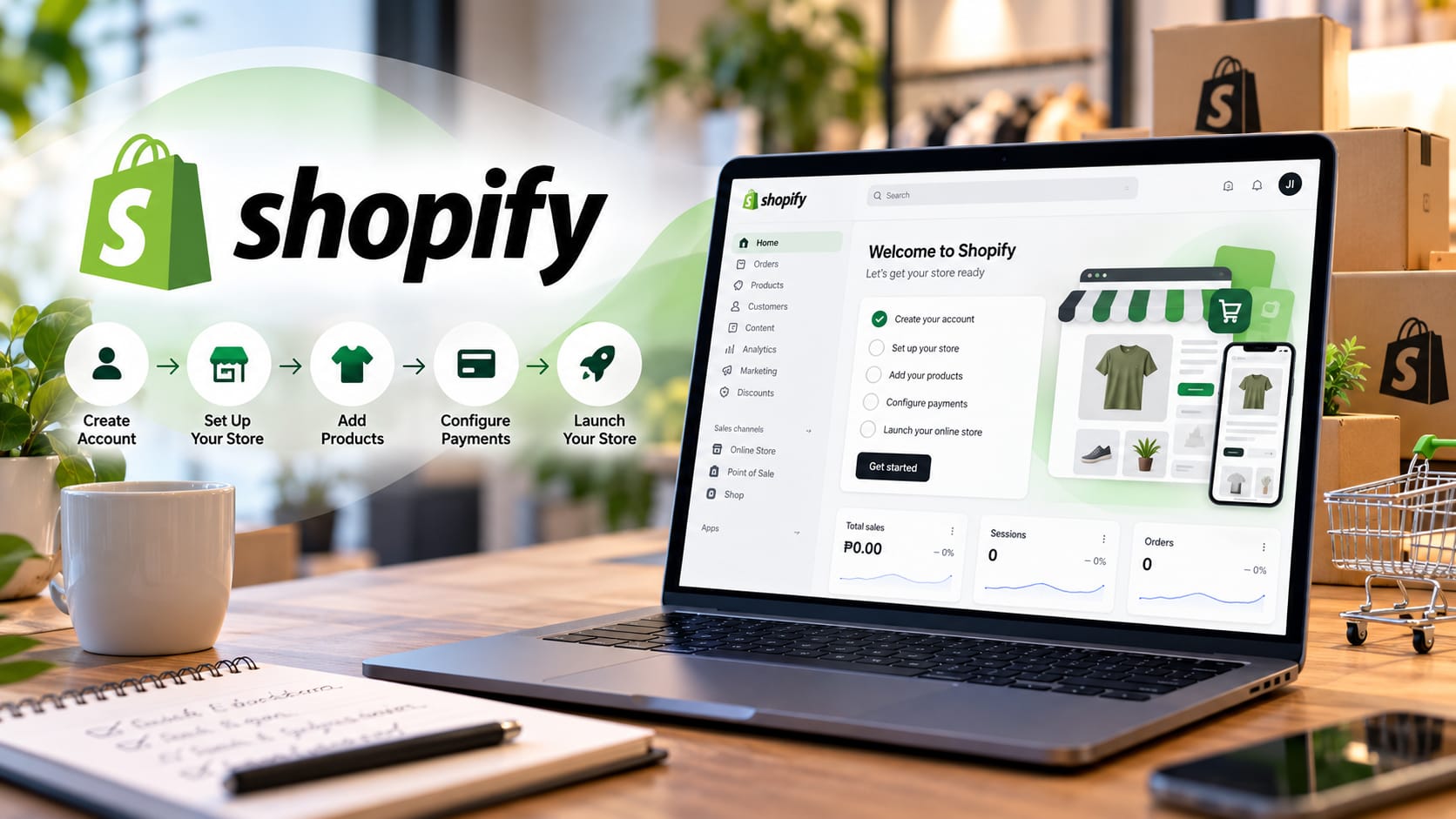
Starting an online store can feel like a huge leap, especially if you have never built a website before. The good news is that you do not need to be a developer or a designer to sell online today. Platforms like Shopify have made it possible for anyone with a product and a bit of patience to open a professional-looking store in an afternoon. In this beginner-friendly guide, we will walk you through what you need before you begin and how to set up your Shopify account step by step.
Why Shopify for your first online store?
Shopify is one of the most popular ecommerce platforms in the world because it handles the hard parts for you. It hosts your website, keeps it secure, processes payments, and gives you a dashboard to manage everything in one place. You do not have to worry about servers, software updates, or writing code. That makes it a friendly choice for small business owners, first-time sellers, and anyone who wants to focus on their products rather than the technology behind the store. If you are still weighing your options, our guide comparing WordPress, Shopify, Webflow and Squarespace lays out which platform fits which kind of business.
What you need before you start
Before you create your account, it helps to gather a few things. Having these ready will make the setup much smoother and save you from stopping halfway to hunt for information.
A clear product idea. Know what you are selling, whether it is physical goods, digital downloads, or a service. Even a short list of your first few products is enough to get started.
A business name. This becomes your store name and often your web address, so pick something memorable and easy to spell. It is worth checking that a matching domain name and social media handles are available.
Product details and photos. For each item, prepare a title, a short description, the price, and at least one clear photo. Good photos make a big difference in how trustworthy your store looks, so use bright, well-lit images even if you take them on a phone.
Payment and banking information. To get paid, you will need your bank account details and, in most cases, basic business or personal identification. Shopify uses this to deposit your earnings and verify your account.
Basic legal and tax information. Depending on where you live, you may need a registered business name, a tax identification number, or a permit to sell certain products. If you are unsure, it is fine to start small and sort out formal registration as you grow, but keep it on your checklist.
A shipping plan. Think about where you will ship, how much you will charge, and who will deliver your orders. You do not need every detail worked out, but a rough idea helps you set up shipping rates later.
A reliable email address. Use a professional email you check often, since this is where order notifications and account messages will arrive.
Step by step: setting up your Shopify account
Step 1: Sign up for a free trial. Go to shopify.com and click the “Start free trial” button. Shopify currently offers a short free trial, after which you can continue for a small introductory rate of one dollar per month for the first few months before regular pricing begins. Enter your email, create a password, and choose a store name. Do not overthink the name here, as you can change how it is displayed later.
Step 2: Answer a few setup questions. Shopify will ask what you are selling and whether you are just starting out. These questions simply help it tailor suggestions for you. Answer honestly, and do not worry if you are still figuring things out. You can skip most of these prompts and move straight into your dashboard.
Step 3: Get to know your dashboard. Once you are in, you will see the Shopify admin, which is your control center. On the left you will find menus for Orders, Products, Customers, Analytics, and Settings. Take a minute to click around. Everything you build lives here, and it becomes familiar quickly.
Step 4: Add your products. Click “Products” and then “Add product.” Fill in the title, description, price, and upload your photos. You can also set inventory quantities and organize items into collections, such as “New arrivals” or “Best sellers.” Add your first few products so your store does not look empty when you launch.
Step 5: Choose and customize your theme. Under “Online Store” and then “Themes,” you can pick a design for your site. Shopify includes free themes that look clean and modern. Click “Customize” to change colors, fonts, your logo, and the homepage layout using a simple drag-and-drop editor. There is no coding involved, so feel free to experiment until it feels like your brand. It is worth the time, because good web design builds trust before a shopper reads a single product description.
Step 6: Set up your pages and navigation. A trustworthy store usually has a few key pages: an About page, a Contact page, and clear policies for shipping, returns, and privacy. Shopify can generate standard policy pages for you in the settings. Then arrange your menus so visitors can find products and information easily. Our business website checklist covers the pages and details customers expect to see.
Step 7: Connect a custom domain. Your store starts with a free web address that ends in myshopify.com. To look professional, buy a custom domain such as yourstore.com. You can purchase one directly through Shopify in the “Domains” settings, or connect a domain you already own. This step makes your store easier to remember and share.
Step 8: Turn on payments. Go to “Settings” and then “Payments” to choose how you will accept money. Shopify Payments is the simplest option where available, and you can also enable options like PayPal. This is where your banking details come in, so have them handy. Standard card processing fees apply and vary slightly by plan.
Step 9: Configure shipping and taxes. In “Settings,” set your shipping rates and the regions you deliver to. You might offer free shipping, a flat rate, or rates calculated by weight. Nearby in the settings, you can set up taxes so the correct amounts are added at checkout based on your location.
Step 10: Test an order and launch. Before going live, place a test order to make sure checkout works and notifications arrive. When you are ready, remove any password protection under “Online Store” preferences and choose a paid plan. Your store is now open for business.
Understanding Shopify’s plans
Shopify offers several plans so you can start small and upgrade as you grow. The Basic plan is aimed at solo entrepreneurs and is the most affordable monthly option, the Grow plan suits small teams that need more features, and the Advanced plan is built for larger stores selling at higher volumes. All plans include the core tools you need to run a store, and lower transaction fees come with the higher tiers. For most beginners, the Basic plan is the perfect place to start.
Ready to launch with confidence?
Setting up a Shopify store is genuinely achievable for beginners, and every step you complete brings you closer to your first sale. Prepare your products, photos, and payment details in advance, follow the steps above, and take your time customizing the look and feel. If you would rather have experts handle the setup, design, and launch for you, the team at Cognitech can build a polished, ready-to-sell Shopify store tailored to your business. Reach out to us and let us turn your product idea into a store you are proud of.